
How to set it up in Glide
- Connect the Dexcom G7: in Glide, tap Connect a CGM and enter the wearer's own Dexcom login. Full setup.
- In Glide, go to Settings → Followers → Invite a follower. Copy the code, or tap Send invite link.
- The follower installs Glide, taps Watch someone else's glucose, enters the code and taps Join.
- Each code works once. Make one for each person.
What you see
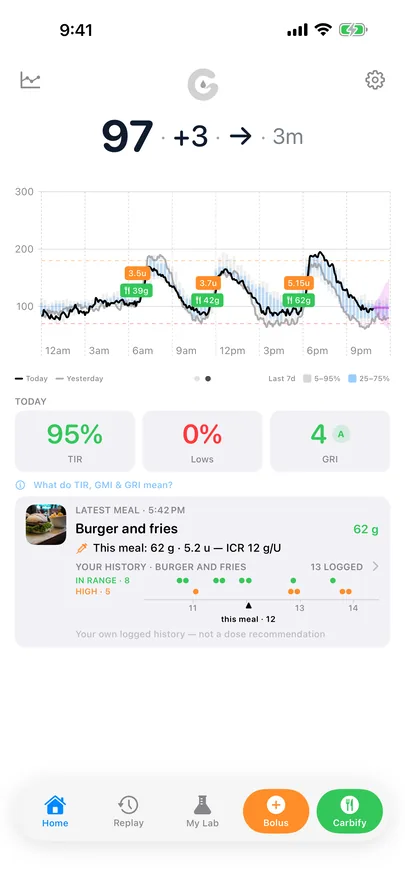
- Every follower sees the same reading and chart.
- Anyone on the profile can log meals and doses, and everyone sees them.
- Each person sets their own alerts.
- The owner can remove a follower in Settings → Followers.
Questions
How many followers does Dexcom allow?
Yes. A G7 wearer can share with up to 10 followers. The current Dexcom Follow app listing says one follower can follow up to 25 sharers; an older Dexcom FAQ still says 10. (Dexcom; App Store listing)
What does Glide cost?
Glide is free: readings, the chart, followers, alerts, the nighttime call, the report and the Apple Watch app. Glide Premium ($4.99 a month or $39.99 a year, two weeks free) adds photo carb counting and My Lab's food groups.
More with Glide
Dexcom G7 with Glide
- Apple Watch
- Widgets & Lock Screen
- Report for the doctor
- Alarms in Silent mode
- Signal loss alert for followers
- Signal loss
- Follower app not updating
- Alarms not sounding
- Follower not getting alerts
How many followers on another CGM
Sources, quoted
- Dexcom: “One person (the Sharer) may share their CGM data with up to 10 designated individuals (the Followers), such as family and friends.”
- App Store listing: “Receive glucose information of up to 25 different Sharers”
- Dexcom: “Follow up to ten (10) Sharers with Dexcom Follow.”
Every quote is checked against its source page before each update of this site; last checked 2026-10-06. Makers change their apps; the source page is the authority when it differs.