
Alerts › Night call
A phone call on signal loss
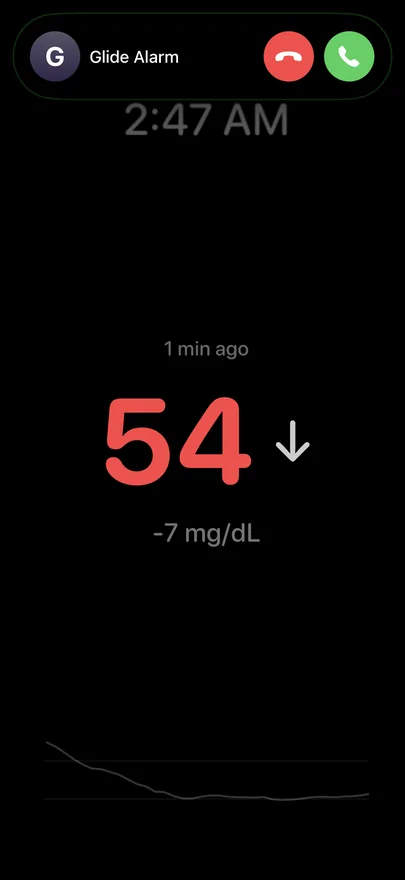
Glide can call on a low or missing readings during the night hours you choose.
Dexcom’s guide describes a No Data notification in Follow. Sugarmate documents a no-data push with iOS Critical Alert options, plus calls for lows. See the comparison of documented alert options and their conditions.
"Over night our 18 year old son sometimes looses his CGM signal. He usually doesn't get up. If the last reading was in range 90 to 100 flat, do most parents let it ride over night or get up to change sensor?"
r/t1d_parents
Glide can call when readings stop during the hours you choose. Enable and test the call, and read the delivery limits below.
How it works
- Glide's server reads your CGM through Dexcom Share, LibreLinkUp, EasyFollow or your Nightscout site (Dexcom, Libre, Medtrum, Nightscout).
- You set the hours (for example 10 PM to 7 AM), a low threshold, and how long a gap counts as lost signal: 30 minutes by default, 15 at the least.
- Inside those hours, when the number crosses the threshold or no reading has arrived for that long, Glide places a phone call to the number you verified.
- While the condition holds, it calls again after the snooze you set (15 minutes by default), until the low clears or the readings come back.
The call is placed by the server, not by the app on your phone. Glide does not have to be open. Emergency Bypass allows calls from the saved contact through Silent and Focus. Delivery still depends on the services and phone network described below.
Setup
- Settings → Phone Alerts → Add a phone number. Enter your mobile number and the code Glide texts you. Numbers in the US, Canada and Europe work; outside the US, start with the country code.
- Under Wake-up call, set the hours. Under When to call, set Call at or below and keep Call on signal loss on.
- Tap Add caller to Contacts, then in that contact turn on Emergency Bypass for calls. Without it, Silent or Focus settings may silence the call.
- Tap Send a test call. It checks the whole path, from the server to your ringer.
Daytime: a banner
Outside the call hours, a lost signal is a Lock Screen banner after the same gap, on each phone where it is turned on (each person sets their own alerts in Settings → Notifications), and the first reading after the gap arrives as Signal back with how long readings were missing. Lows, highs, fast rises and fast falls are notifications too, with thresholds you set (High is off until you turn it on). Glide sends no glucose-alert text messages. Each alert is Regular or Alarm. A Regular alert is Time Sensitive: it can appear during a Focus that permits it, but does not bypass Silent. An Alarm is a Critical Alert: once you allow Critical Alerts, it sounds through Silent and Focus with the tone you pick. On a new account, Low and Signal lost are Alarms. Snooze any alert for 15, 30 or 60 minutes from the notification or from Apple Watch.
What it costs
The banners and the call are free on every profile. Glide Premium adds carb estimates from a photo and My Lab; details on the pricing section.